> ## Documentation Index
> Fetch the complete documentation index at: https://docs.debitdirect.io/llms.txt
> Use this file to discover all available pages before exploring further.
# Apply for a new agreement
You will need the following to complete the application:
1. Danish registration information (CVR number). Denmark only.
2. Copy of passport for signing authorities (tegningsberettigede in Danish).
3. Registration and bank account number.
4. If you are not the owner of the company, you will need authority to sign on behalf of the company using NemID or MitID. Use this template before starting the application.
## Applying for a new agreement
To apply for a [Leverandørservice agreement](https://leverandoerservice.mastercard.com/), navigator to [Leverandørservice](https://www.xn--leverandrservice-sxb.dk/leverandoerservice/administrer/aftale/#opret-tilf%C3%B8j). Click **Create/alter agreement**. You need to sign in using NemID or MitID with authority to sign on behalf of company.
Once you are logged in, follow these steps to create the agreement:
Images are provided by Mastercard Payment Services, in Danish only and may differ slightly from the actual application.
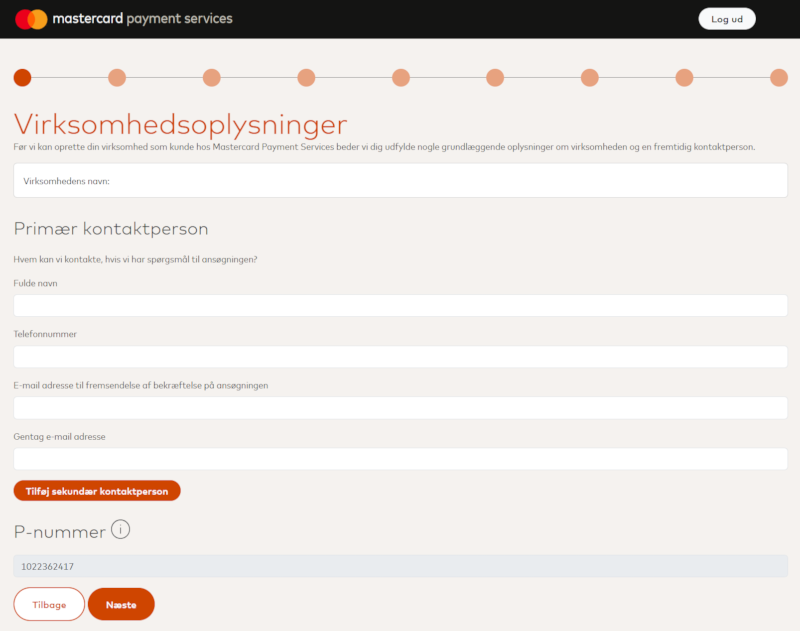
Fill in the personal information including full name, phone number and email. Click **Next** to continue.
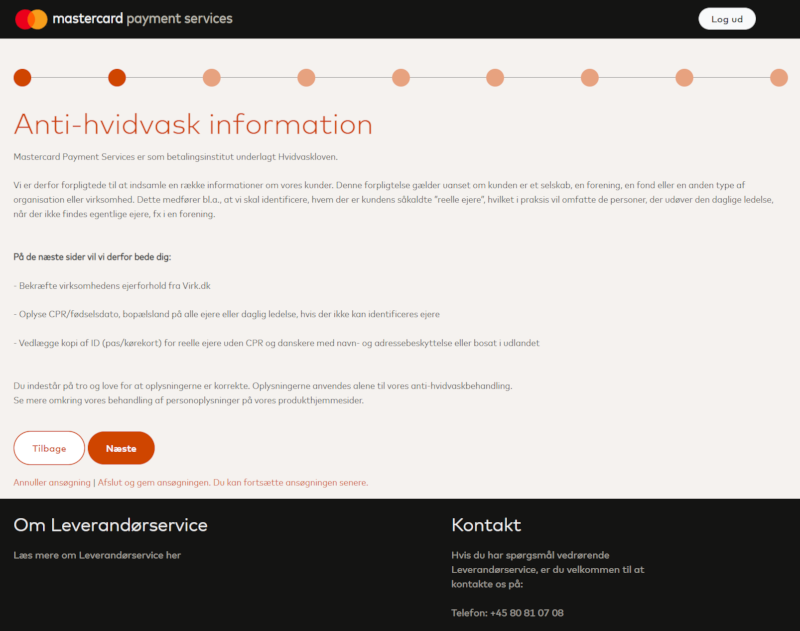
 Read through the antimoney laundering and KYC information. Click **Next** to continue.
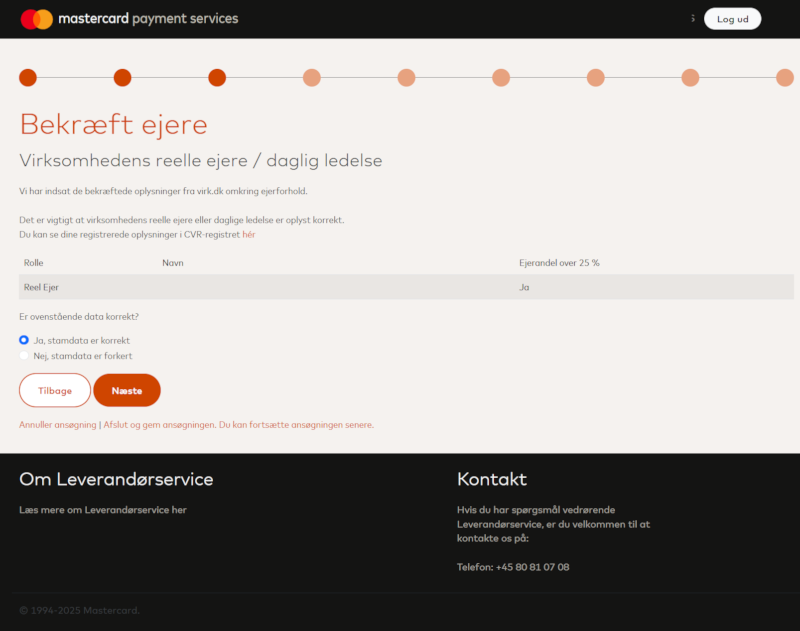
 Review the ownership information, and either confirm or alter the pre-filled information. Click **Next** to continue.
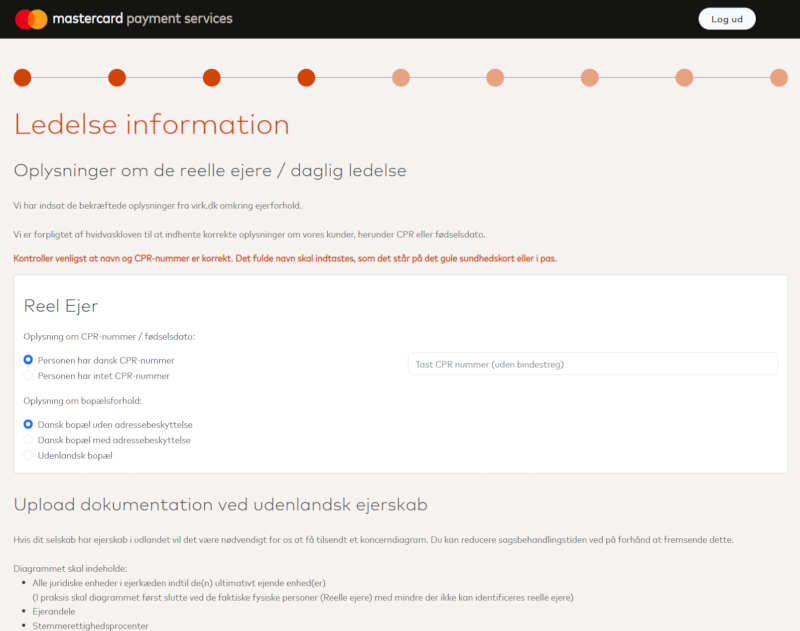
 Review the leadership information, and either confirm or alter the pre-filled information. Type the CPR for danish citizens and upload any needed documentation. Click **Next** to continue.
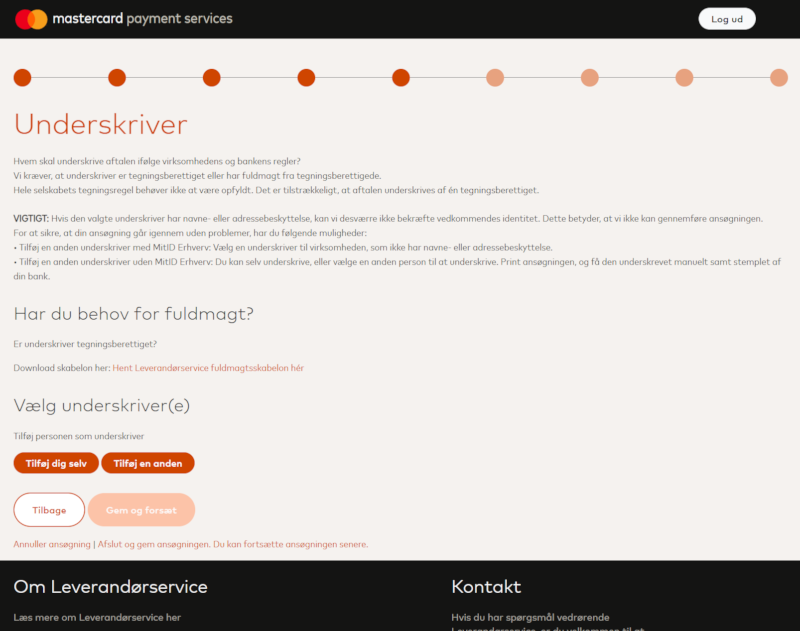
 Review the signing authorities information. Add yourself, and all required personnel. Click **Save & Next** to continue.
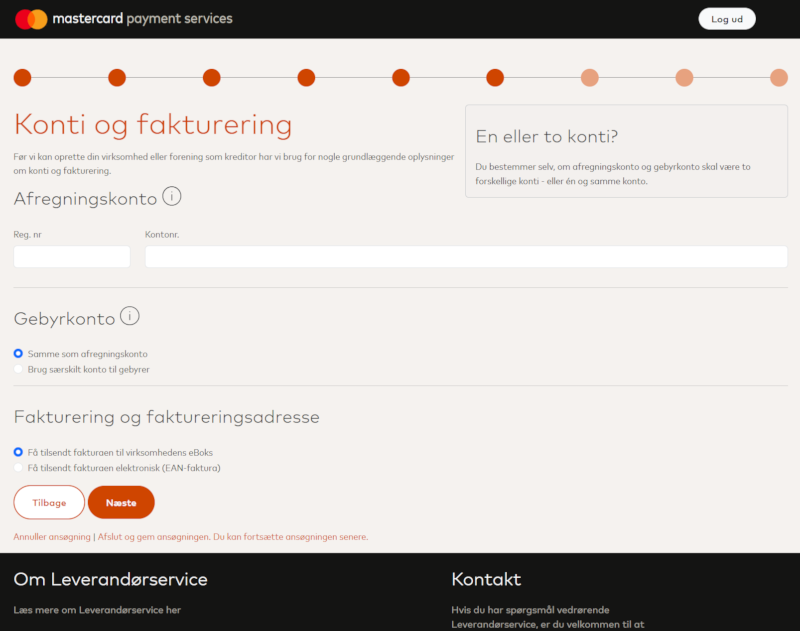
 Fill in the bank account information for the company. This is where payments will be deposited. Click **Next** to continue.
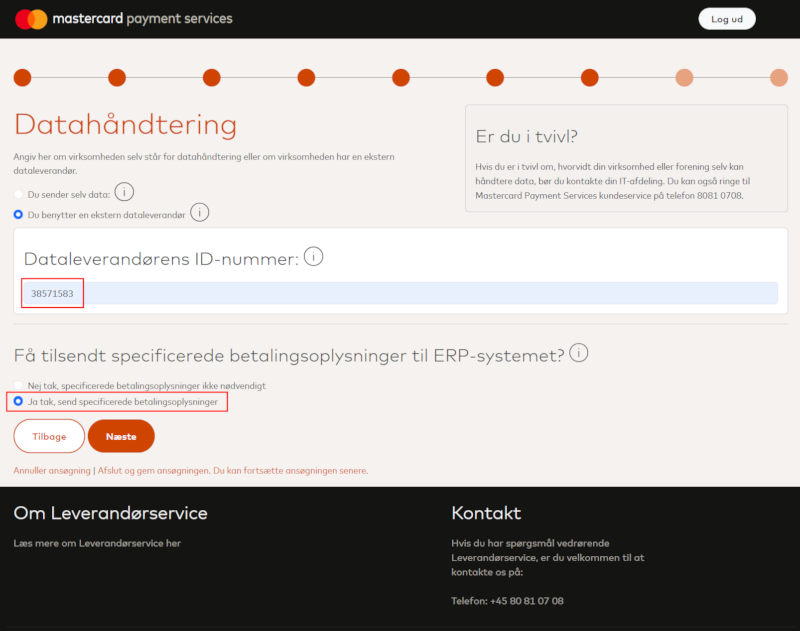
 Select **Use external Dataprocessor** and type **38571583** as the ID-number. Select **Yes, send detailed payment information**. Click **Next** to continue.
Specifying Debitdirect as the dataprocessor ensures that payment information is correctly relayed to Debitdirect for processing.
Select **Use external Dataprocessor** and type **38571583** as the ID-number. Select **Yes, send detailed payment information**. Click **Next** to continue.
Specifying Debitdirect as the dataprocessor ensures that payment information is correctly relayed to Debitdirect for processing.
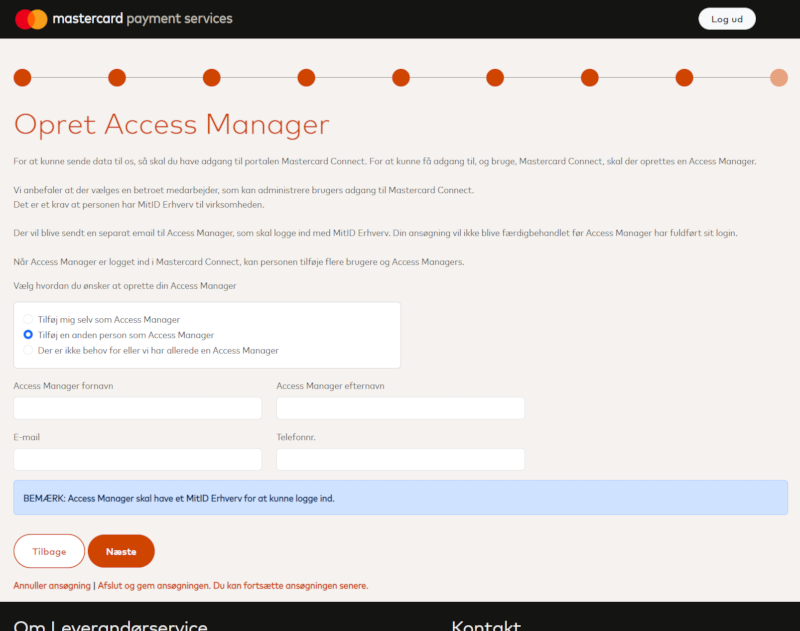
 Select who should have access to the agreement. Click **Next** to continue.
 Review all information and confirm the agreement. Click **Approve** to complete the application. You are passed to the agreement document. View it carefully and sign it using NemID or MitID.
The agreement is now sent to Mastercard for processing. This can take up to **5 business days**.
Once the agreement is completed by Mastercard, you will recieve a letter in e-boks with a *merchant number*. Use the *merchant number* and your *CVR number* to add the agreement to Debitdirect.
## Enable Debitdirect to setup mandates
To allow Debitdirect to setup mandates on your behalf, you need to contact Leverandørservice using this [form](https://www.xn--leverandrservice-sxb.dk/leverandoerservice/kontaktformular/oevrige-henvendelser/).
1. Type in the company information including CVR number, company name, merchant number, contact information etc.
2. In the **Message** copy/paste the following text:
Review all information and confirm the agreement. Click **Approve** to complete the application. You are passed to the agreement document. View it carefully and sign it using NemID or MitID.
The agreement is now sent to Mastercard for processing. This can take up to **5 business days**.
Once the agreement is completed by Mastercard, you will recieve a letter in e-boks with a *merchant number*. Use the *merchant number* and your *CVR number* to add the agreement to Debitdirect.
## Enable Debitdirect to setup mandates
To allow Debitdirect to setup mandates on your behalf, you need to contact Leverandørservice using this [form](https://www.xn--leverandrservice-sxb.dk/leverandoerservice/kontaktformular/oevrige-henvendelser/).
1. Type in the company information including CVR number, company name, merchant number, contact information etc.
2. In the **Message** copy/paste the following text:
Please enable Debitdirect ApS (Dataprocessor number: 38571583) to create new mandates on our behalf (enable 510 Opret Betalingstilladelse).
3. Submit the form.
## Recommendation
You should also decide on a maximum transaction amount and a maximum daily amount with your bank when creating the agreement. This is for the bank to have an idea on what amounts are to be charged or paid out each day.
* **Transaktions maksimumsbeløb**. The maximum amount that can be charged or paid out per debitor per banking day.
* **Dags maksimumbeløb**. The maximum amount that can be charged or paid out for all debitors combined per banking day.
## Adding the agreement to Debitdirect via API
Once you get the letter in e-boks, follow this step to continue. Add the agreement as follows:
```bash theme={null}
curl --location 'https://api.debitdirect.io/agreements' \
--header 'Content-Type: application/json' \
--header 'Authorization: Basic xxxxxxxxxxxxxxxxxxxxxx' \
--data '{
"scheme" : "nets-ls",
"test" : false,
"meta" : {
"CreditorNumber" : "12345",
"CvrNumber" : "12345678"
}
}'
```
Your will get an agreement handle returned, and the agreement will be in state `Pending` until Debitdirect have verified the agreement. This happens automatically. Once your agreement is ready, the state of the agreement will be `Active`.